
01 · Daily money
Record money as it moves
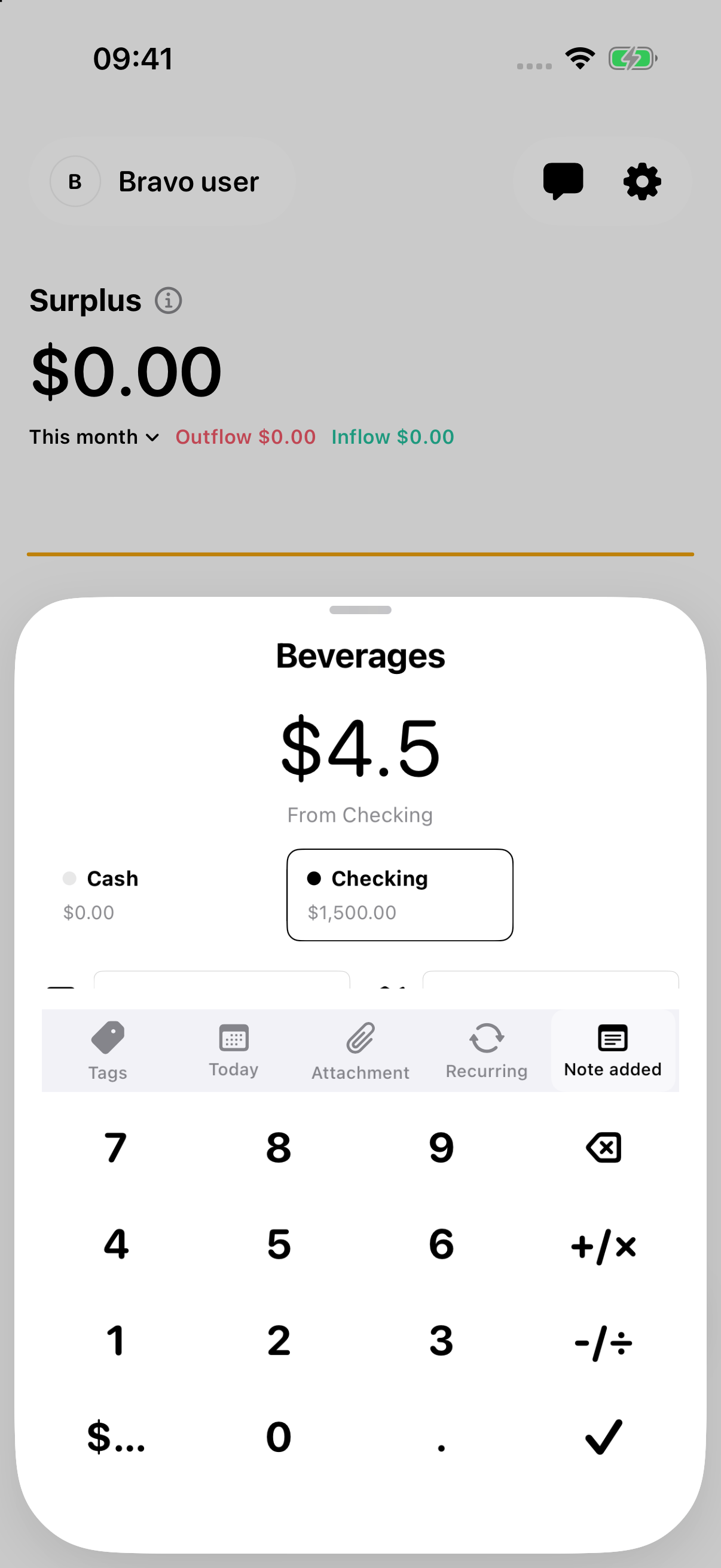
Log income and spending, move money between your own accounts, and record refunds or reimbursements. Add a receipt, tag, and category up to three levels deep.
See how entries workPersonal finance, made clear
Record everyday spending, understand your assets, explore where your money goes, and plan for what’s next—all in one ledger.
iPhone and iPad · Local bookkeeping works without signing in
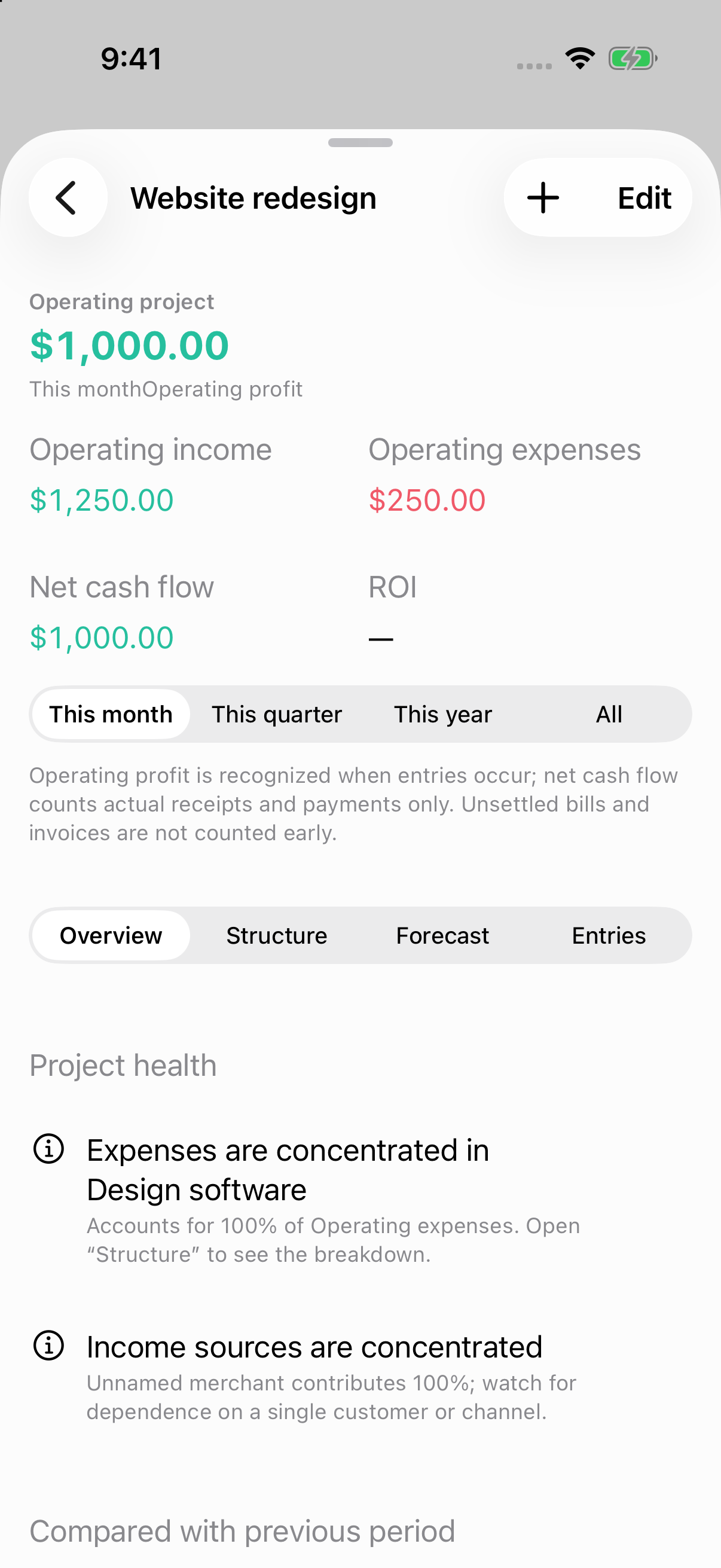
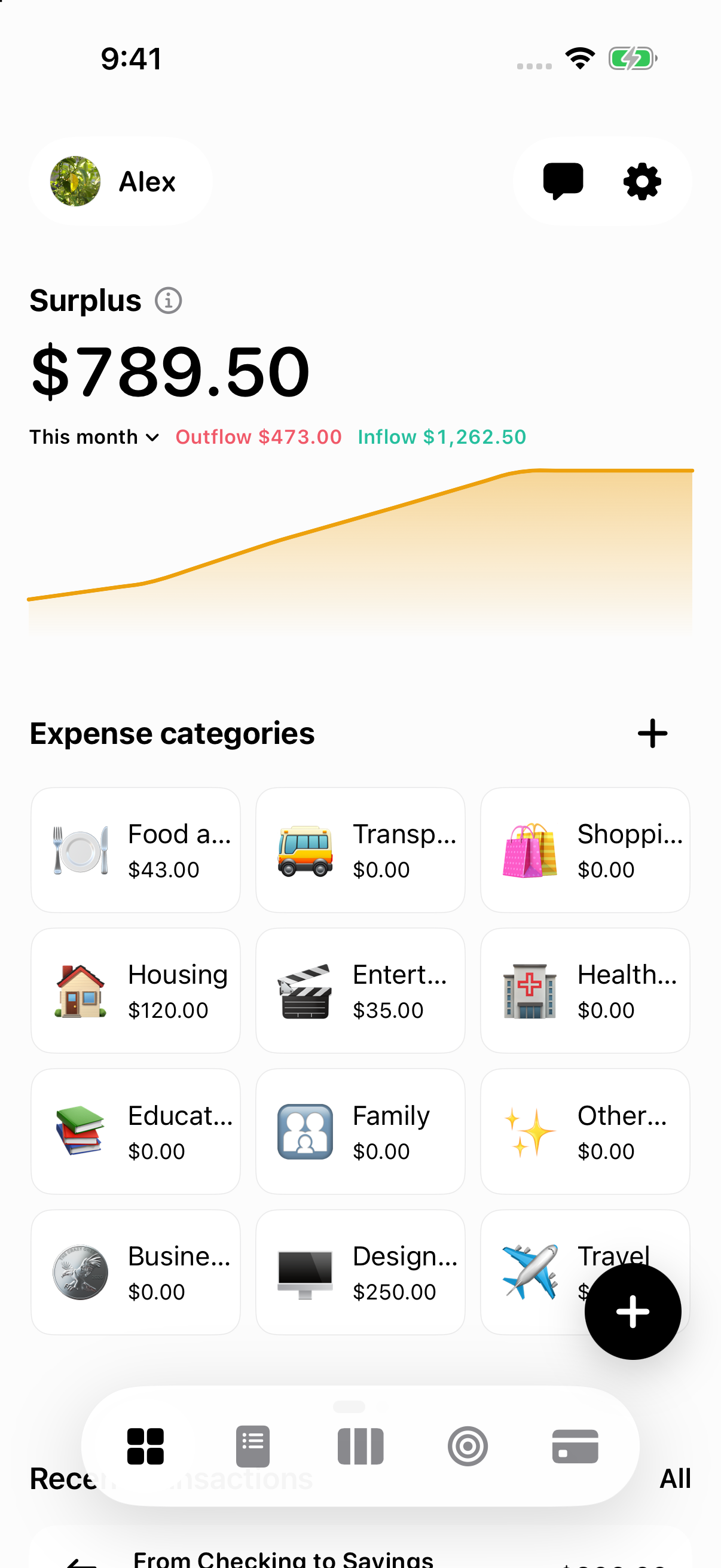
Screens shown with synthetic sample data
Inside the current beta
Six distinct iOS screens show how Bravo Ledger connects daily entries, budgets, assets, trips, and project results.
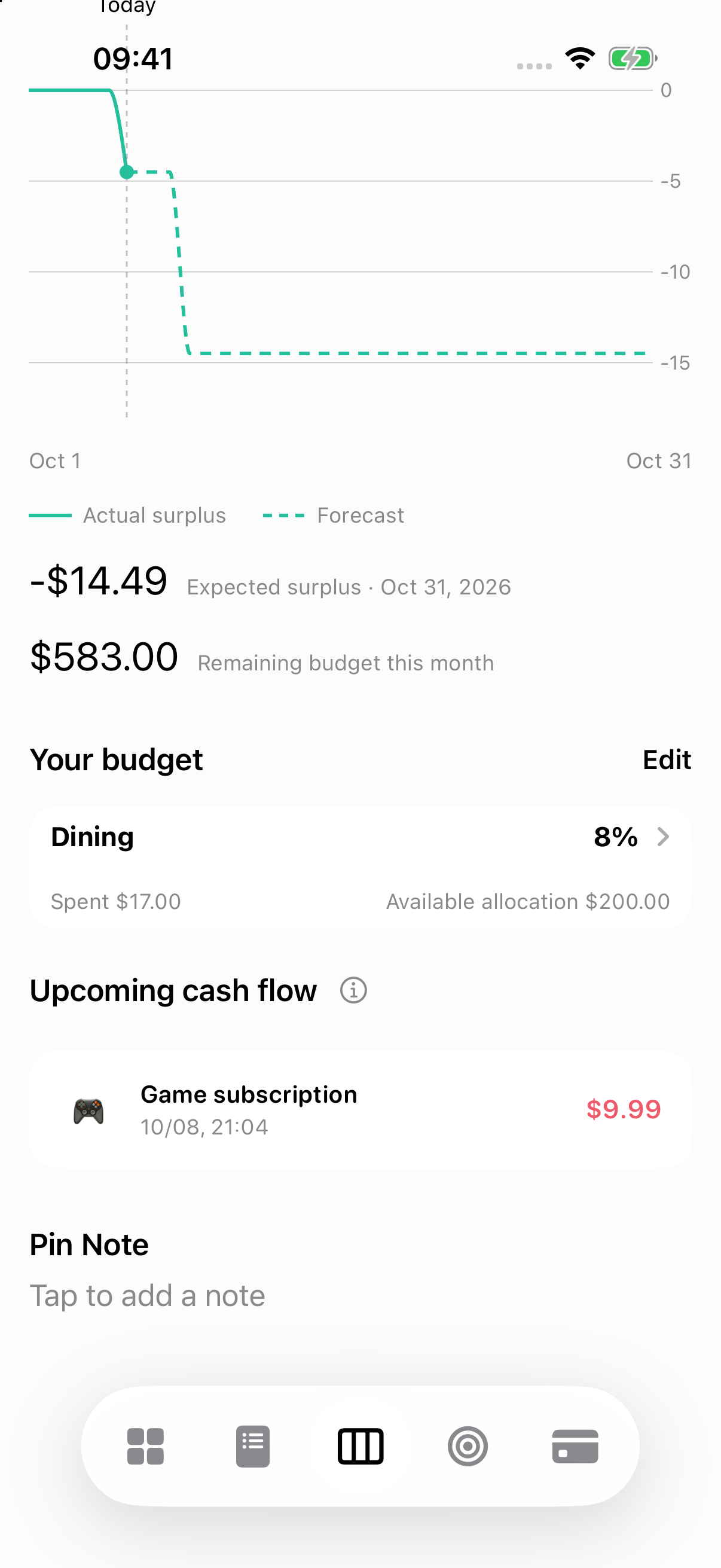
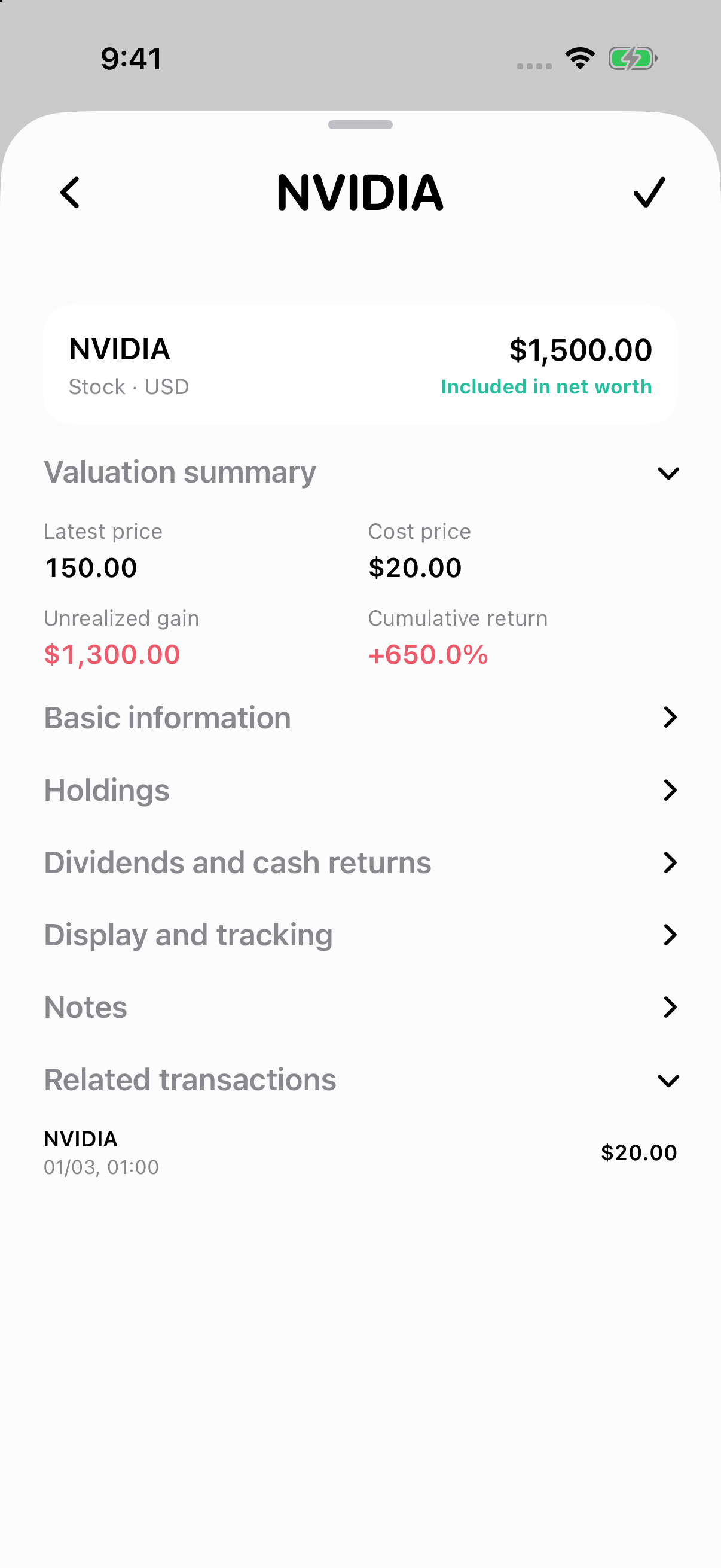
All amounts and records shown are illustrative sample data.
Recordincome, spending, transfers
Understandcash flow and net worth
Planbudgets and future bills
Explorefilters, statistics, and maps
A clearer view of personal finances
The parts of your finances connect. Here’s what the app helps you record, understand, and plan.
01 · Daily money
Log income and spending, move money between your own accounts, and record refunds or reimbursements. Add a receipt, tag, and category up to three levels deep.
See how entries work02 · Your financial picture
Follow your surplus over time, see current net worth, and check this month’s forecast. Track cash, investments, and other assets alongside liabilities.
Understand Home and its curves03 · Find patterns
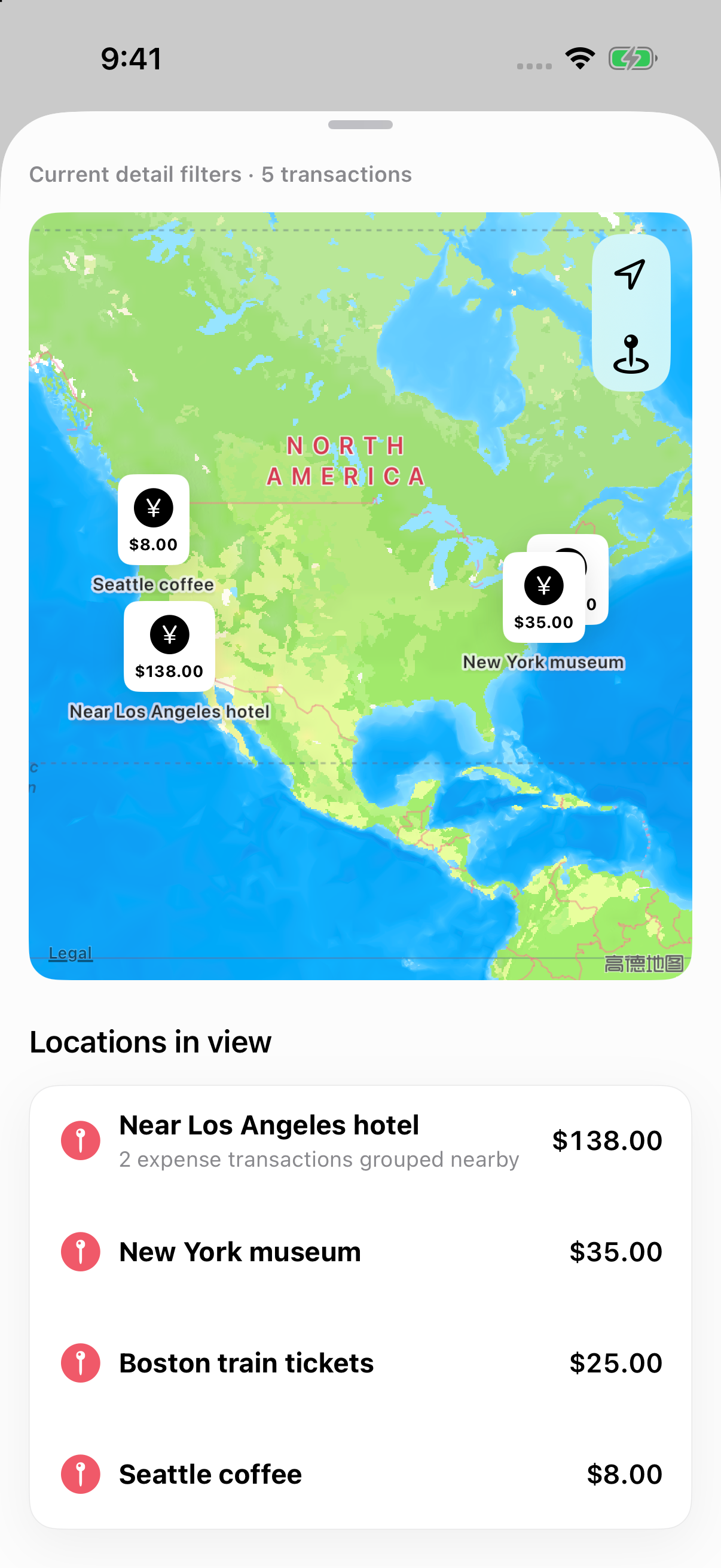
Combine date, amount, category, tag, account, location, or project filters. Open Statistics or Map to explore the same filtered entries.
See filters in action04 · Plan ahead
Set monthly and category budgets, schedule one-time or recurring bills, and keep subscriptions, savings goals, and a wish list in view.
See how recurring bills work05 · Accounts and assets
Track multiple currencies and investment holdings, record purchase costs, and refresh supported market quotes. Bravo tracks holdings; it doesn’t place broker orders.
See an investment holding example06 · Your data
Use local bookkeeping without signing in. Create separate ledgers, import transactions, and keep a backup. Cloud sync is available with Pro access.
See how sync worksA real example
Want to know what a trip cost—and where the money went? Filter transactions by the “US Road Trip” tag and a minimum amount, then open Statistics or Map. Each view uses the filtered entries.
Explore the map guideOne set of filters · two ways to explore it
Three useful views
Bravo Ledger keeps cash flow, net worth, and future plans distinct, so each view answers a different question.
What came in and went out?
Income minus spending for the selected range. The curve shows the cumulative result; it is not your bank balance. Transfers between your own accounts don’t count as income or spending.
See the surplus curveWhat do I own, minus what I owe?
Included assets minus liabilities. Its history uses saved daily snapshots; today reflects the latest saved valuations.
See the net-worth viewWhat’s coming up?
Future and recurring bills help you see expected payments ahead of time. A planned bill is not recorded spending until it happens.
See the forecast guidePublic iOS TestFlight beta
Local bookkeeping works without signing in. You can explore the core ledger, accounts, planning, and reporting tools in the current beta.
Local useNo sign-in needed
Cloud syncRequires Pro access
Future pricingNot finalized
Good to know
Not yet. It is currently available as a public iOS TestFlight beta. An App Store release is planned for later.
No. Local bookkeeping works without signing in. Cloud sync across devices requires Pro access.
No. You can record investment holdings, purchase costs, and valuations in Bravo Ledger. It does not place orders with a broker.
No. Those are roadmap ideas. The current beta focuses on recording, assets, reports, maps, budgets, and planning tools.
The public TestFlight beta is free to try. The final App Store pricing has not been set.
Your money, in context
Try Bravo Ledger and see how the pieces fit together.